
ABN AMRO Zakelijk op Rekening
Payment plugin for WooCommerce on WordPress
To make the integration process as easy as possible for you, we offer an easy integration using this WooCommerce plugin. Before you start the installation, we recommend that you make a backup of your webshop files, as well as the database.
Requirements
| WordPress | 6.5 or later |
| WooCommerce | 8.0 or later |
| PHP | 7.4 or later |
From version 2.24.0 the plugin is a brand overlay: it supplies the ABN AMRO configuration and branding, while the payment engine itself lives in a second plugin, the Utility library for ABN AMRO (published on WordPress.org as the Two payment gateway). Both must be installed and active. Earlier 2.23.x releases were self-contained, so shops updating from those must add the utility library at the same time.
WordPress 6.5 is where plugin dependencies were introduced. On that version and later WordPress will not let you activate the plugin until the utility library is present, and offers to install it for you. On older WordPress there is no such check, so the plugin can be active with no payment method at your checkout.
Installation
You need two plugins. Install the utility library first, then the ABN AMRO plugin.
1. Install the utility library
In your WordPress admin go to Plugins → Add Plugin, search for Two – BNPL for businesses, then choose Install Now and Activate. Once the ABN AMRO plugin is active this one is listed as Utility library for ABN AMRO.
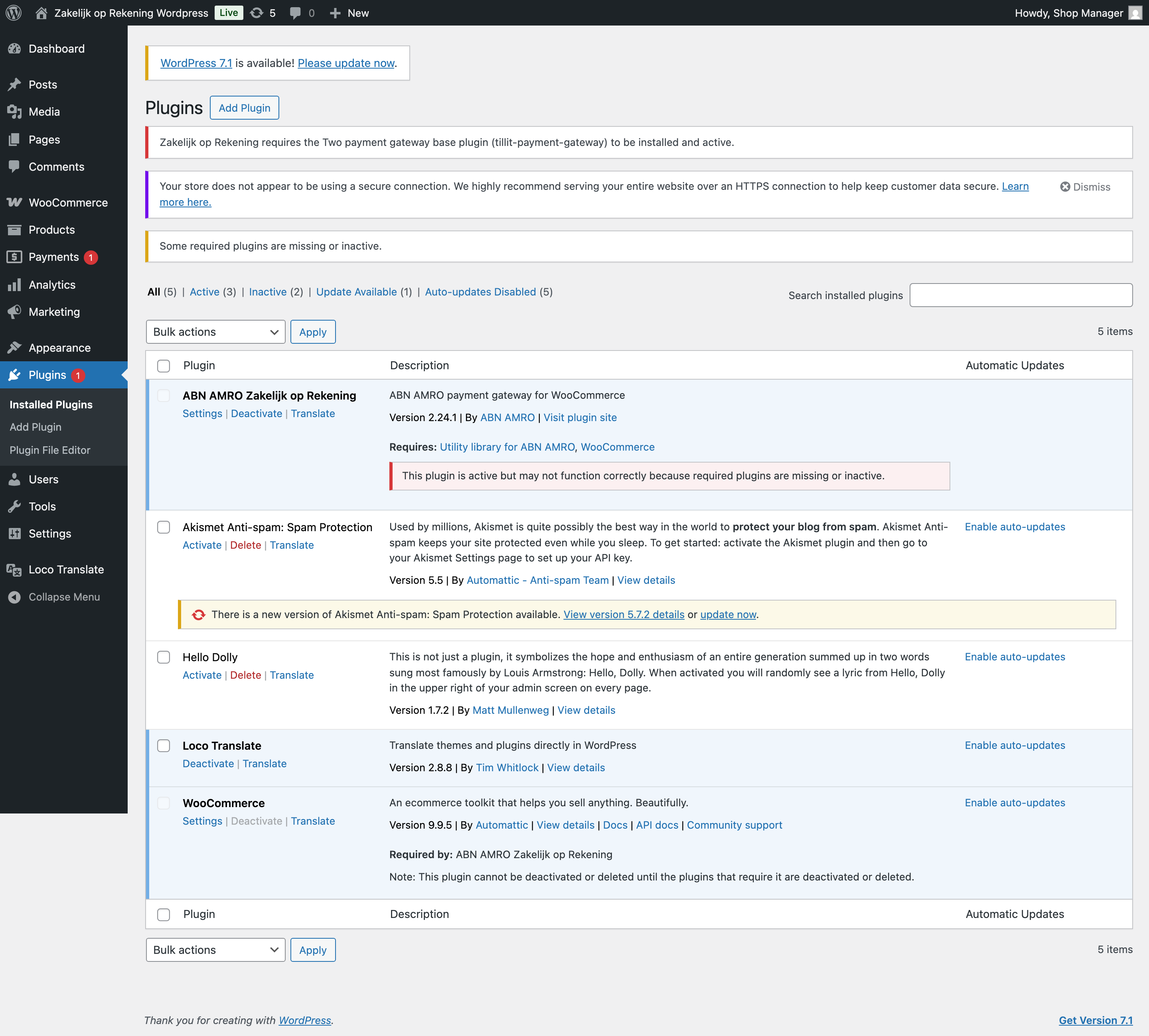
If you install the ABN AMRO plugin first, WordPress tells you what is missing and links the utility library for you:
2. Install the ABN AMRO plugin
Download abn-payment-gateway.zip from the downloads page.
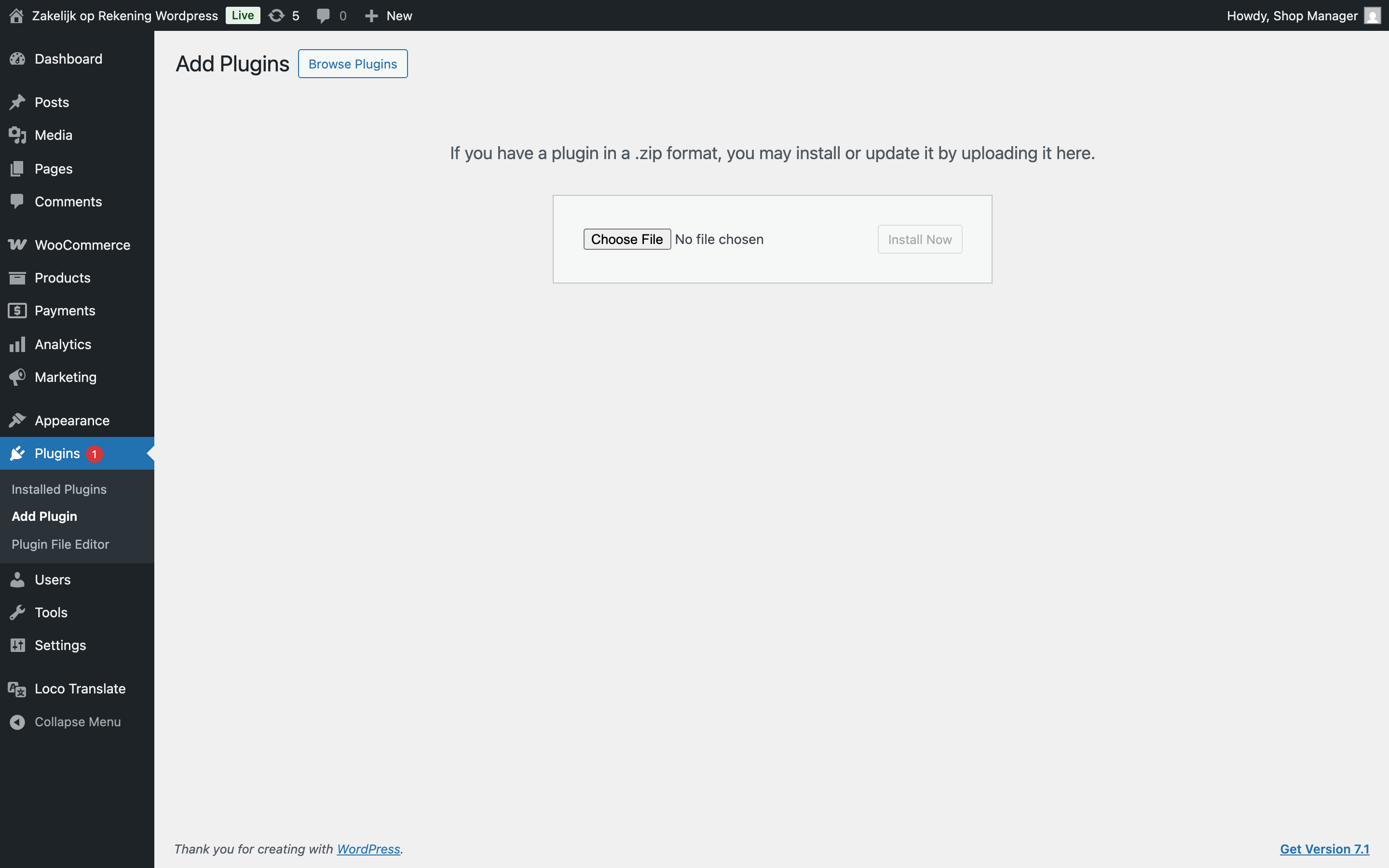
In your WordPress admin go to Plugins → Add Plugin → Upload Plugin, choose the zip and select Install Now.
3. Activate
Go to Plugins and activate ABN AMRO Zakelijk op Rekening. Both plugins should now show as active, and the ABN AMRO plugin lists the utility library under Requires.
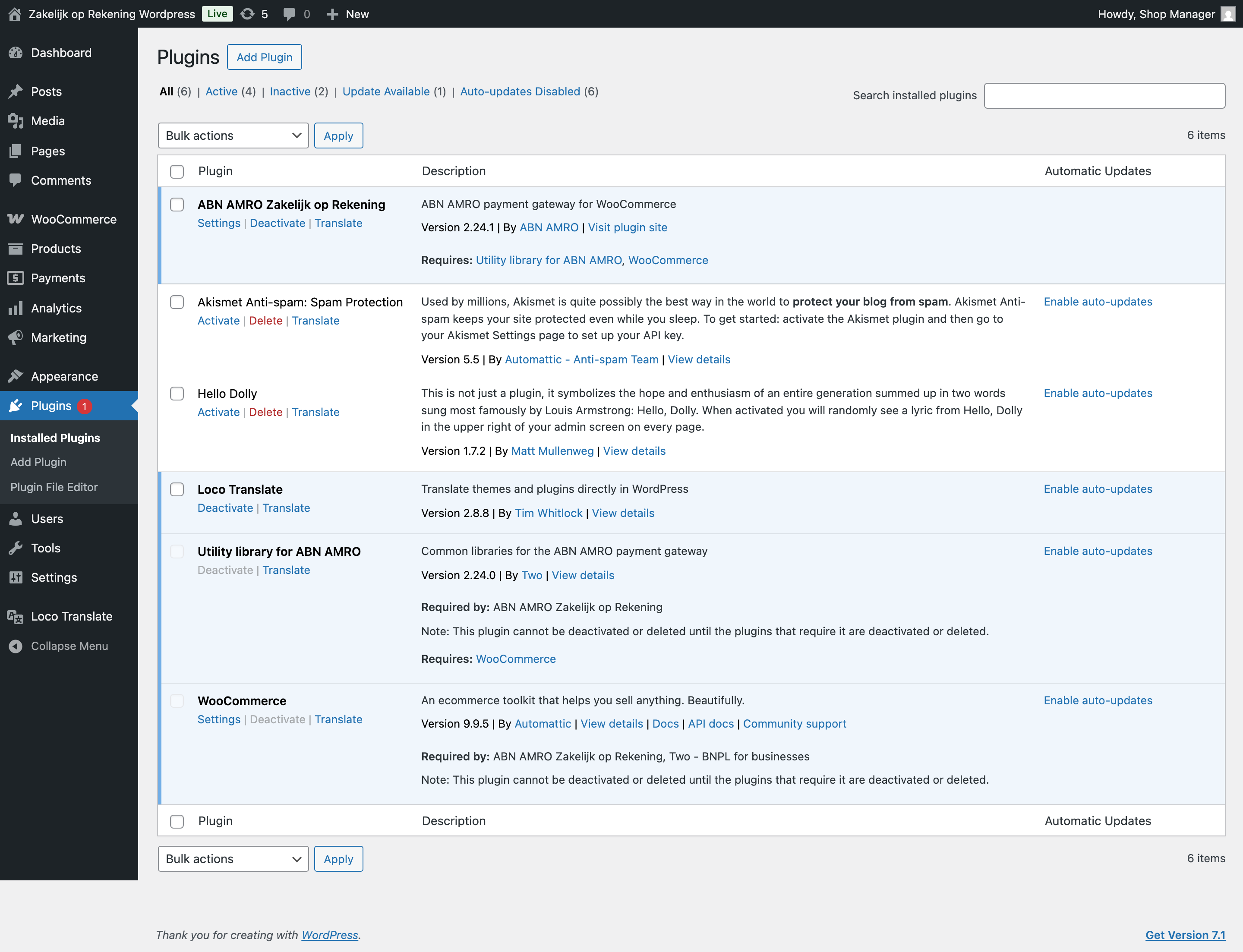
WordPress will not let you deactivate or delete the utility library while the ABN AMRO plugin is active.
Configuration
Go to WooCommerce → Settings → Payments. ABN AMRO Zakelijk op Rekening appears in the list of payment methods.
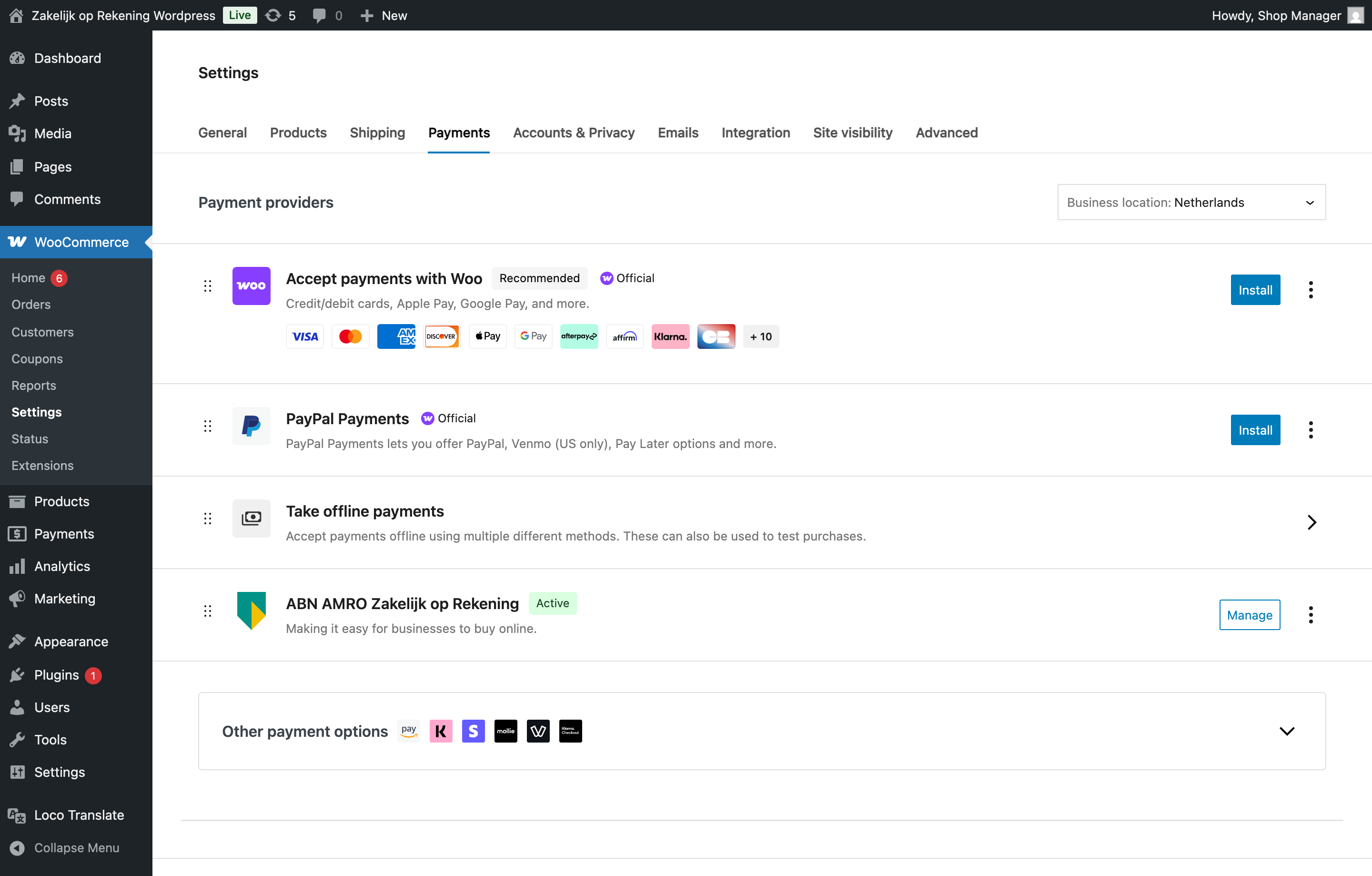
Select it to open its settings. They are grouped into sections.
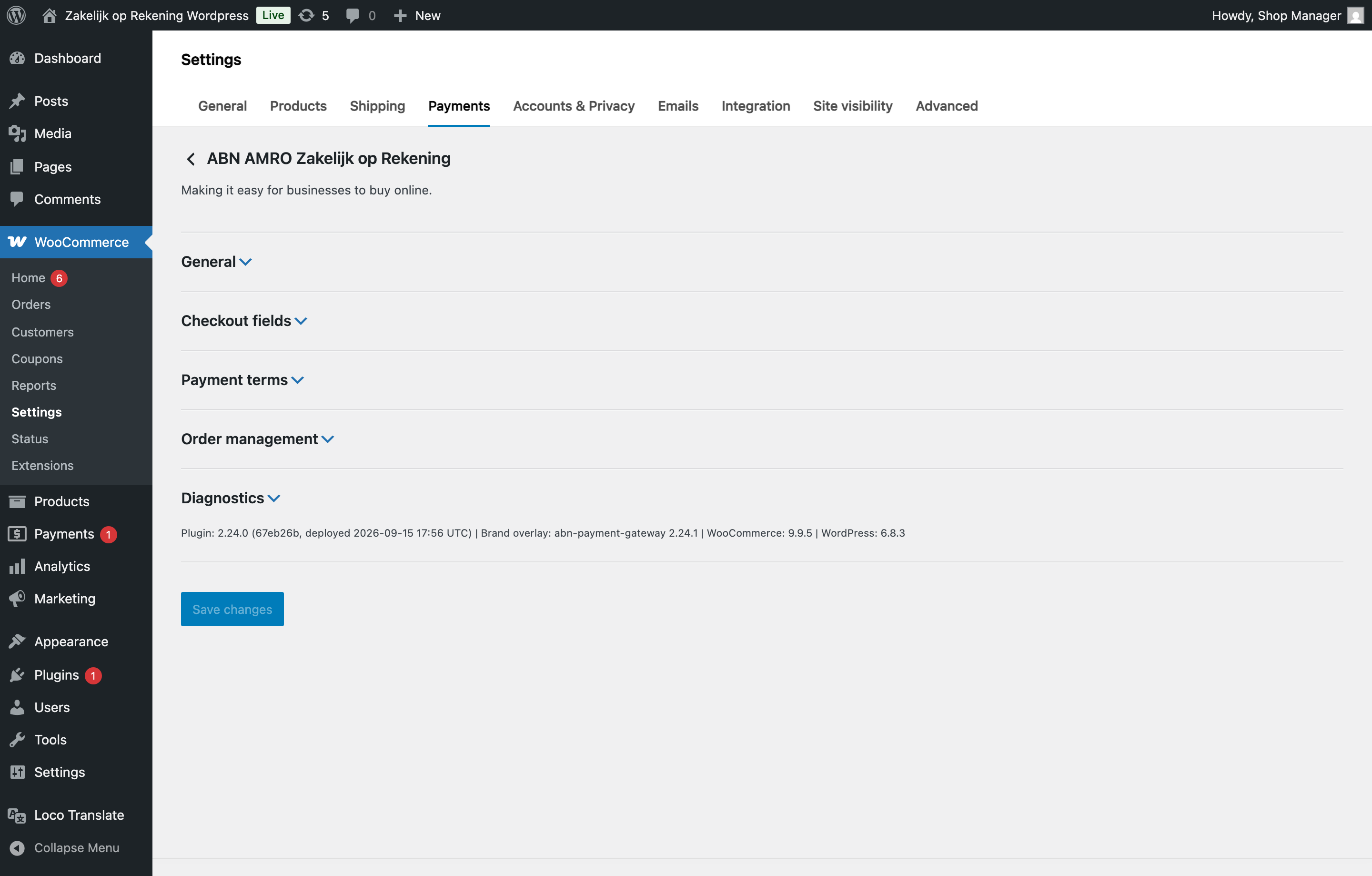
General
| Setting | What it does |
|---|---|
| Turn on/off | Shows or hides the payment method at your checkout. |
| Environment | Test or production. Use test until you are ready to go live. |
| API key | Provided to you once you are onboarded. Test and production keys are different. |
| Title | The name buyers see at checkout. |
| Pre-approve buyer during checkout | Checks the buyer's credit while they are still filling in the form, so a decline is shown before they place the order. |
After entering your API key select Save changes. If the key is correct you will see a confirmation; if not, the settings page tells you what is wrong.
Checkout fields
Optional fields buyers can fill in at checkout: invoice email, purchase order number, project and department. Turn on the ones your business needs. The invoice email field is on by default.
Company search is also here. It is on by default and lets buyers find their company by name rather than typing their registration details, and fills in the address for them. It is offered for countries with a supported business register; buyers elsewhere get a plain company name field.
Payment terms
The payment terms your account offers, shown to the buyer as selectable buttons on the payment method. Any surcharge is shown next to each term. The terms available come from your ABN AMRO account rather than from this screen.
Order management
Controls what happens to the ABN AMRO order when you change a WooCommerce order: fulfilling, cancelling and refunding.
Checkout
The payment method works on both WooCommerce checkout types:
- the classic checkout, built with the
[woocommerce_checkout]shortcode - the WooCommerce Blocks checkout, which is the default on recent WooCommerce versions
You do not need to change your checkout page. A buyer selects ABN AMRO Zakelijk op Rekening, finds their company, picks a payment term and places the order.
Troubleshooting
The payment method is not at my checkout. Check both plugins are active under Plugins. If the utility library is missing or inactive, WordPress says so at the top of that screen. If both are active, open WooCommerce → Settings → Payments → ABN AMRO Zakelijk op Rekening, which explains why the method is being withheld.
I cannot activate the plugin. On WordPress 6.5 and later, activation is blocked until the utility library is installed and active. The Plugins screen links it.
My buyers are in a country with no company search. Company search is offered only where there is a supported business register. Buyers elsewhere can still pay; they type their company name instead.
Need Help?
Contact us via email: integration@two.inc